Recurring jobs
Set up a client who is cleaned every week or every two weeks, see all your series in one place, and understand what an edit to one occurrence does.
Creating a series
Book the job as normal and set it to repeat. FlexMaid creates the whole run of future occurrences up front, so they appear on your schedule straight away rather than one at a time.
The Recurring page
Recurring in the top menu lists every series you have — which client, how often, and who normally does it. It is the fastest way to answer "who do we see on Tuesdays?".
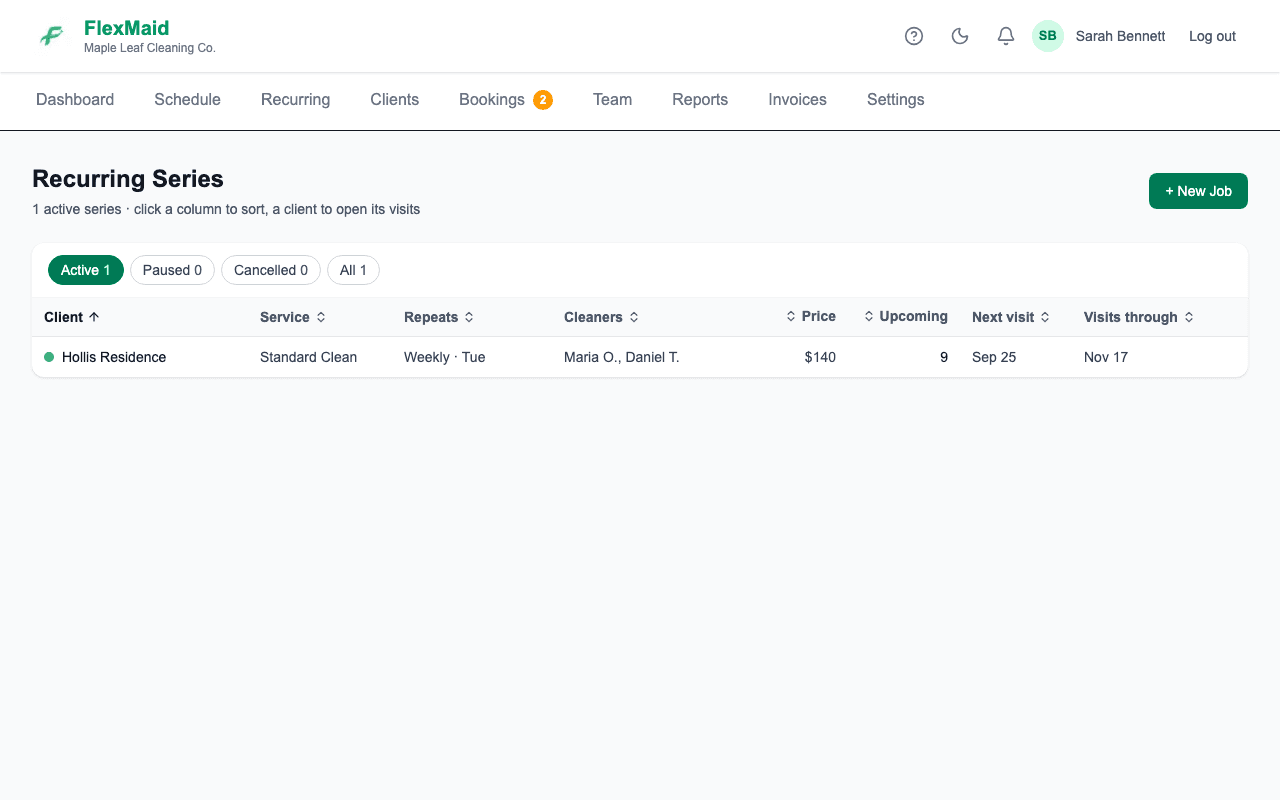
Each series is one row of a table: how often it repeats, which cleaners are booked on the visits ahead, the price, how many visits are still to come, the next visit, and the date of the last one. Click any column heading to sort by it, and click it again to reverse. The buttons above the table switch between Active, Paused, Cancelled and All series. On a phone, use Sort by instead of the headings.
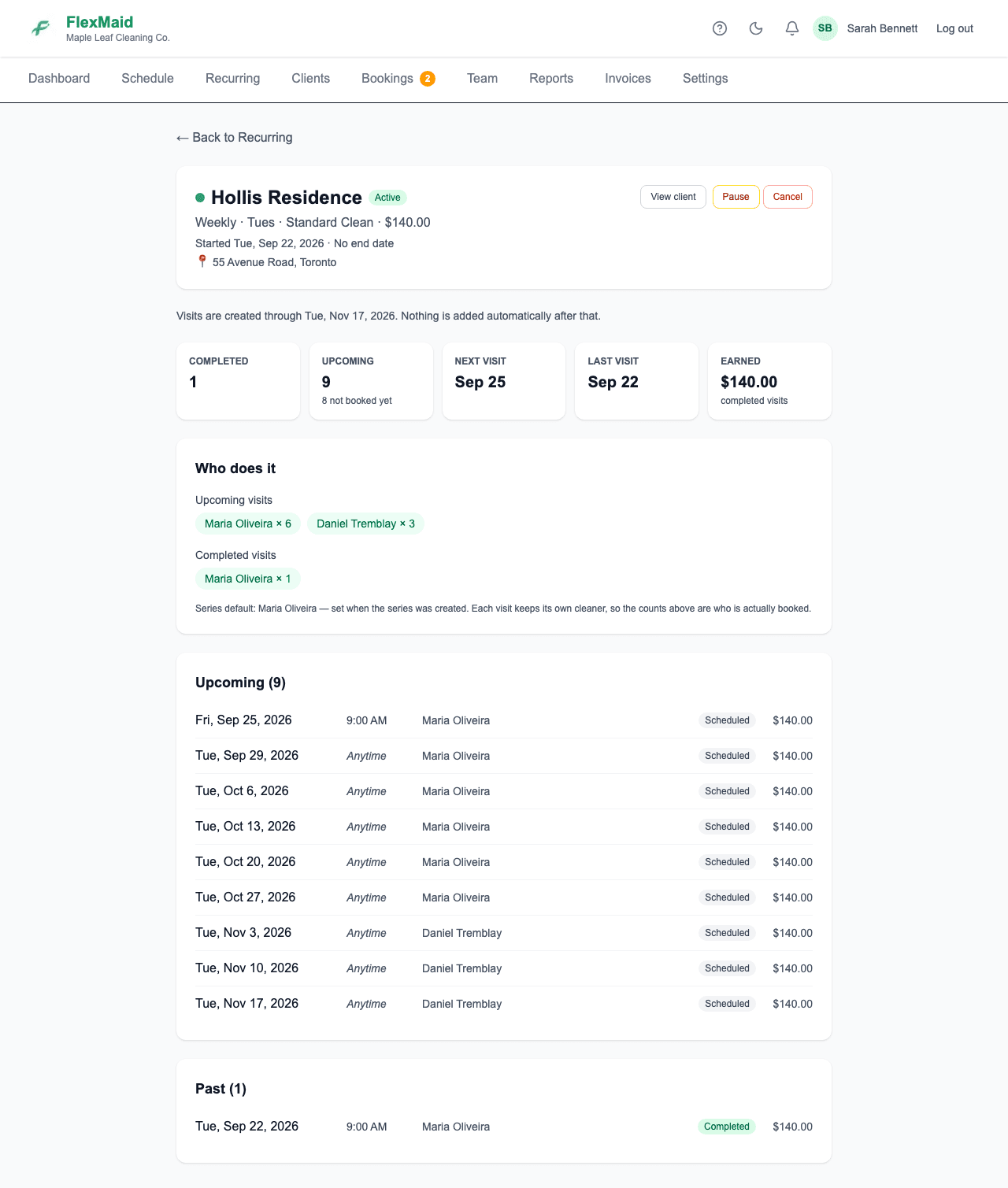
Click a client to open its series: you get every visit in it, past and upcoming, how many are done, how many still have no time set, what it has earned, and a count of which cleaners are on the visits ahead — so if a client moved to a different cleaner part-way through, you can see exactly which visits still have the old one. Pause, Resume and Cancel are on that page too.
Series run out
Visits are created about three months ahead when the series is set up, and nothing adds more after that. A series close to its last visit is marked Runs out soon on the list, and No visits left once it has run out, so you know when to set up the next run. Sort by Visits through to see the ones running out first.
Editing one occurrence versus the whole series
An edit applies to that one visit only
If you change the crew on next Tuesday's job, only next Tuesday changes. The Tuesday after still has the original cleaner on it. The edit form says so, and it means exactly what it says.
So if a client is permanently moving to a different cleaner, changing one occurrence is not enough — you need to change each future occurrence, or end the series and start a new one. Carrying a change forward across a whole series is a change we know is wanted and have not built yet.
Common questions
- How far ahead are recurring jobs created?
- A run of occurrences is created when you set the series up, so you will see them on the schedule immediately rather than having to wait for each one.
- When does a series stop?
- When its last created visit has passed. Visits are created about three months ahead at setup and nothing extends the series after that, so check the Recurring page — a series near its end says **Runs out soon**, and opening it shows the date of its last visit.
- A client is pausing for the summer. What do I do?
- Cancel the individual occurrences you are skipping. They stay on your schedule greyed out and disappear from the cleaner's phone.
- I changed the cleaner on a recurring job and it went back to the old one the following week.
- That is expected. Each occurrence is its own job, and an edit only touches the occurrence you edited.
Related
Still stuck?
Email support@flexmaid.ca and tell us what you were trying to do. A real person answers.