Job status and how hours are recorded
What each status means, how a job turns into hours on your payroll report, and how to fix a time that was entered wrong.
The four statuses
| Status | What it means | What it records |
|---|---|---|
| Scheduled | Booked, not started. | Nothing. |
| En Route | The cleaner is on the way. | Nothing — it is a signal to you, not a clock. |
| In Progress | Work has started. | Stamps the start time. |
| Completed | Work is finished. | Stamps the finish time. |
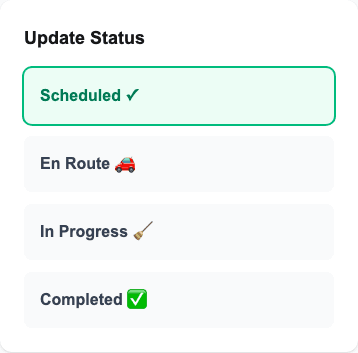
There are two more that only you can set: Cancelled and No Show. Both keep the job on your schedule and take it off the cleaner's phone.
How a job becomes hours
The gap between In Progress and Completed is the time worked. That figure is what feeds the Time Tracking report, the payroll numbers on your Reports page, and the "actual duration" shown on the job.
Most cleaners do not tap the buttons in real time
That is fine. A cleaner can enter their start and end time afterwards from the Time page on their phone — at the end of the job, or at the end of the day. Saving it also marks the job Completed, so they do not have to do both.
Fixing a time that is wrong
Step 1: Open the job from your Schedule.
Step 2: Find the Time & Cost section. Each cleaner on the job has their own row.
A row with no hours reported is highlighted in amber and shows an Enter time button instead of the pencil.
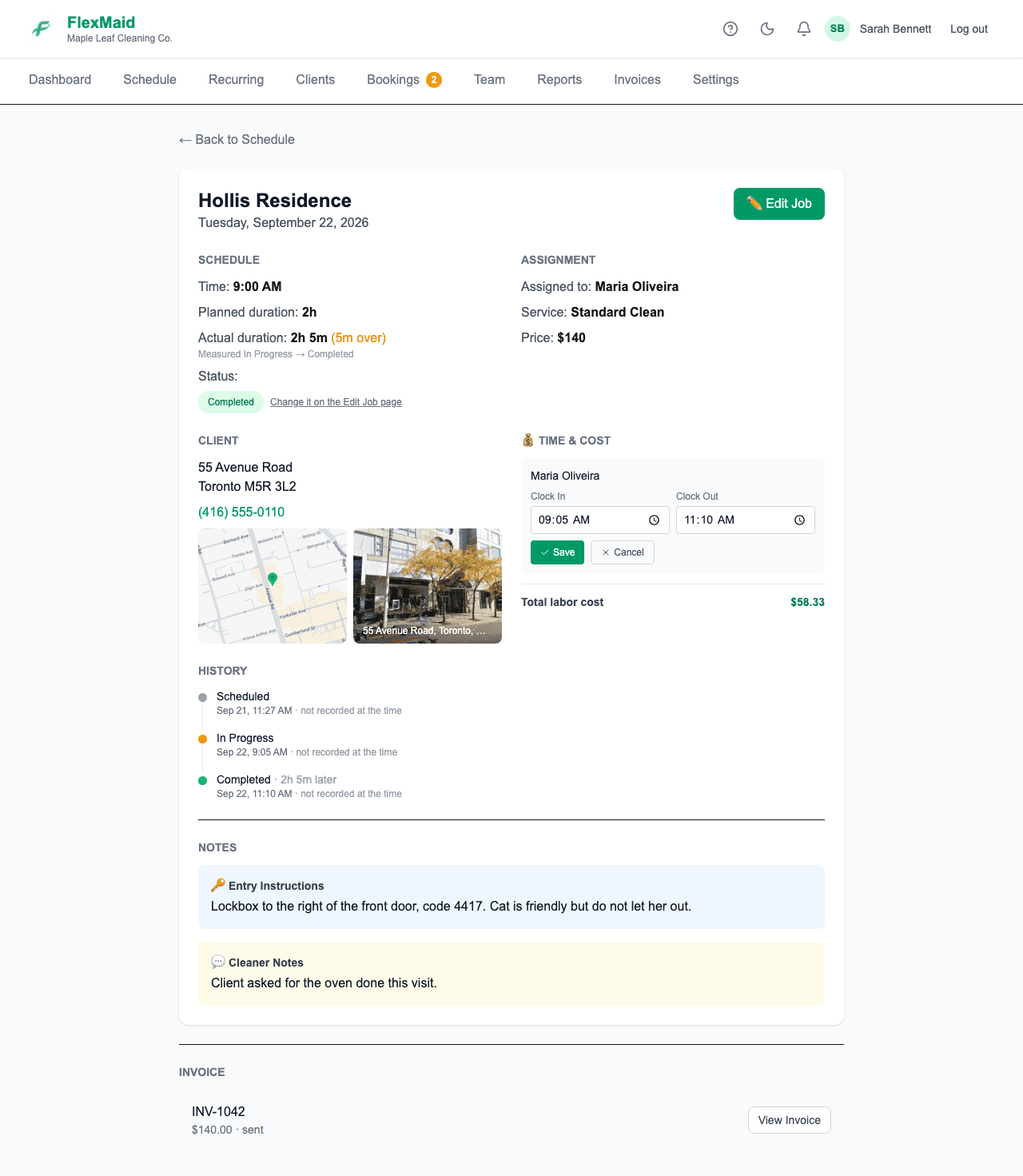
Step 3: Click the pencil next to the cleaner, set Clock In and Clock Out, and save.
You can do this whether or not the cleaner entered anything, and the job keeps a record of the edit.
On a job with more than one cleaner, each person has their own start and end time. One cleaner staying late does not change what the others are paid.
When nobody reported their hours
If the job itself has a start and finish but a cleaner never entered theirs, FlexMaid offers to copy the job's own window onto them — one button, rather than typing times per cleaner. It only fills blanks, so hours somebody already entered are left alone.
Reopening a finished job
Moving a job back out of Completed clears its finish time, and setting it to In Progress again restarts the clock from that moment. If you only meant to correct a mis-tap, edit the times on the job instead of cycling the status.
Common questions
- Is there GPS tracking?
- A location stamp is recorded with a clock-in when the cleaner's phone allows it, and you can see it on the Time Tracking report. There is no live map of where people are.
- A cleaner forgot to mark a job completed.
- They will see it under "Still to log" on their Time page for days afterwards, and can enter the hours then. Or you can set the times yourself on the job.
- Times on my timesheet look several hours off.
- Check your time zone under Settings → Business. Every time in the app is displayed in that zone.
- Does En Route notify the client?
- No. Nothing is sent to clients automatically. En Route is there so you can see the day moving.
Related
Still stuck?
Email support@flexmaid.ca and tell us what you were trying to do. A real person answers.